
Mobile live production software.
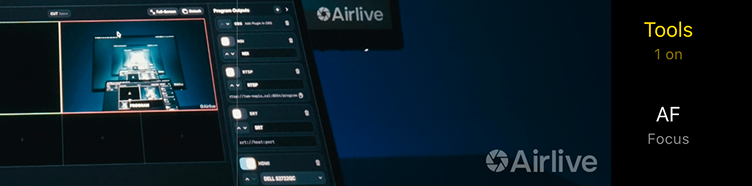
Phones send. The Mac receives. Out to Virtual Camera, NDI®, HDMI, SRT, RTSP.
Airlive Bridge.Receive. Control. Switch. Send.
- Inputs: Airlive Camera, Blackmagic Camera via Screen Mirroring, any HDMI
- Outputs: Virtual Camera, NDI®, HDMI, RTSP, SRT
Pick a camera below, then press CUT — the same as pressing Space in the app.
Airlive Camera.Shoot. Send. Tally. Optimized to run cool.
Channels
Video
Image
Lens
LUTs
Live
Audio
Recording
Storage
About

Designed for the AI era.Open protocol.
The wire format is open and documented. Send it into your own receiver, a browser, a Python script, a vision model. A working receiver is a few hundred lines, and an AI assistant can write one straight from the spec.
Already going live on Airlive
A crew, or one person.As many cameras as your network carries.
FIG 0.1
With a crew
The director works the multiview and picks what goes on air. Every operator sees their own tally — green for next, red for live — so the crew stays together without a word.
FIG 0.2
On your own
One person can look like a whole crew. Phones on stands, you in the director's seat, lenses changing from Bridge — a camera nobody touches still gives more than one shot.
Connecting.No cables, no capture cards.
Customers say.
“The cheapest rig with the features we wanted came to $25,000. We tried Airlive, found those same features in it, and spent $440 — a good router, cables, phone tripods and stabilisers.”
“We had $7,000 set aside for cameras. Then we found Airlive — the same setup with real cameras would have cost several times that.”
Pricing.One purchase, in Airlive Camera.
$14.99 once. It removes the watermark from the live stream. Recordings never had one. Everything else is free.
What exactly is paid →Good to know.Asked most often.
How many iPhone cameras can I connect?
As many as your network carries — the app sets no limit. Each phone is one channel: prefer 5 GHz for the phones, Ethernet for the Mac.
Do I need a capture card or cables?
No. The phones join over Wi-Fi. The Mac is happier on Ethernet.
Does it work on Windows?
The camera works through the OBS plugin. Bridge is macOS for now; a Windows version is in development.
Will it overheat my phone?
Adaptive sensor resolution, a single colour pass and hardware encoding. Engineered to run cool.