
Sender · iOS
Your phone is a
broadcast camera.
Manual & remote control, tally — a clean feed to any receiver.
Streams to any receiver

Shoot. Control. Send.Try it right here — no download.
Channels
Video
Image
Lens
LUTs
Live
Audio
Recording
Storage
About

Tally lightOperators always know if they're live.
Channels
Video
Image
Lens
LUTs
Live
Audio
Recording
Storage
About
ISO compensationNo exposure jump when you switch lenses.
In manual exposure, switching to a darker lens used to cost you brightness. Airlive rescales ISO on the switch, so it no longer does.
Same exposure on every lens · example values
Built to run cool.
A tuned, efficient pipeline that helps hold a normal temperature and a normal battery drain.
How it connectsOne local network. Add a channel. Pick it on the phone.
Open by designBuilt for the AI era.
Local network
Your phones and your Mac. No cloud in the chain, no internet required.
Easy to integrate
The wire format is published. Code a receiver yourself, or have an AI write it.
Nothing collected
No accounts, no analytics, no tracking. Your video never reaches our servers.
Open ecosystemOne protocol. Any receiver.
 First-party
Airlive Bridge
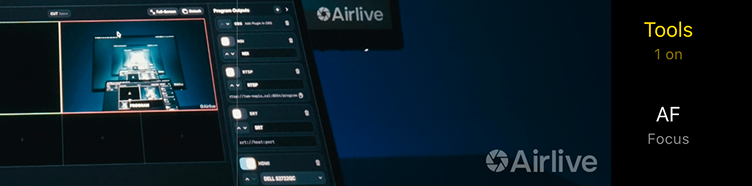
A multicam switcher. Out to Virtual Camera, NDI®, SRT, RTSP or HDMI.
 Open source
Airlive Camera for OBS
Phones straight into OBS, with tally and remote control. Bridge connects through Virtual Camera.
 Open source
Build your own
A documented format. A receiver is a few hundred lines — or a prompt.
Recommended setupOne good router, wired to your Mac.
A solid Wi-Fi network keeps every camera stable.
Open the app — they join as channels.
Wire the Mac with Cat5e (1 Gb) or higher — the stream never wavers.
Tripods, gimbals, and phone mounts — handy for steady, hands-free shots.
PricingOne app. One small unlock.
Free
- The full camera app — use it like any camera
- Local recording
- Live streaming — with a small corner watermark
- Tally light included
- Connect as many iPhone cameras as your network handles
Remove the live watermark
- Everything else stays unlimited
- Removes the live-stream watermark — that's it
Good to know.Asked most often.
What is Airlive Camera?
An iOS app that makes your iPhone a pro camera — record locally, or stream a clean feed to any receiver.
Where can I send the feed?
Airlive Bridge — our free Mac control room — plus OBS, or your own receiver. The protocol's open.
What costs money?
Just one thing: removing the watermark from your live stream — $14.99 one-time. Recordings never carry a watermark. (Early pricing; may change.)
Will it overheat my phone?
It's designed not to throttle, and the battery drains at a normal rate. Runtime depends on your own phone and battery, so we don't promise a number — but nothing here pushes it harder than normal use.
Do I need a capture card or cables?
No. iPhone cameras send a clean feed over Wi-Fi — no capture card, no cables.
Which iPhone models work?
Any iPhone on iOS 17 or newer.
Can I build on the protocol myself?
Yes. The spec, the OBS plugins and example receivers are public on GitHub — read the feed, push camera controls, and wire Airlive into your own receiver or workflow.
Point your iPhone cameras. Go live.
The iPhone app is free on the App Store. The Mac tools and the open protocol are free too — everything you need is below.